
Why is this needed?
Spotify limits "Development Mode" apps to 5 users each. To work around this, each Spotifort user creates their own Spotify Developer app. You become the sole user of your own app, which means no limits.
Important Notes
- Desktop required for setup: You must create your Spotify Developer app on a desktop or laptop computer. The Spotify Developer Dashboard does not show the "Create App" button on mobile browsers. Once created, you can use Spotifort on any device.
- Premium account required: Spotifort requires a Spotify Premium account to function due to Spotify's Developer Mode restrictions.
- Client ID is not sensitive: Your Client ID is a public identifier, not a password. Spotifort never stores it permanently.
Step-by-Step Instructions
Step 1: Create a Spotify Developer Account
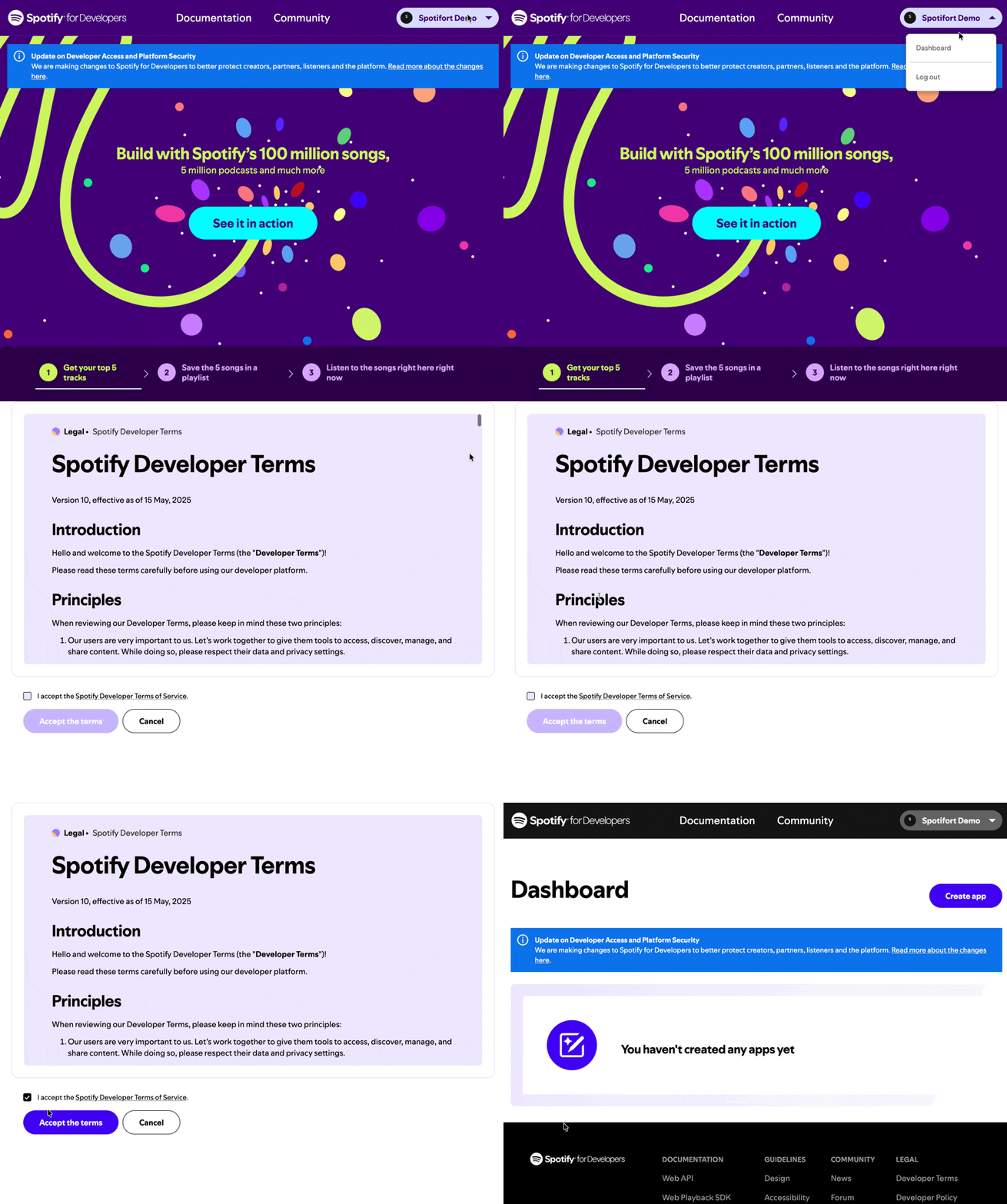
Log in at developer.spotify.com/dashboard with your Spotify credentials. If you don't have a Spotify account, you'll need to create one first.
Step 2: Create a New App
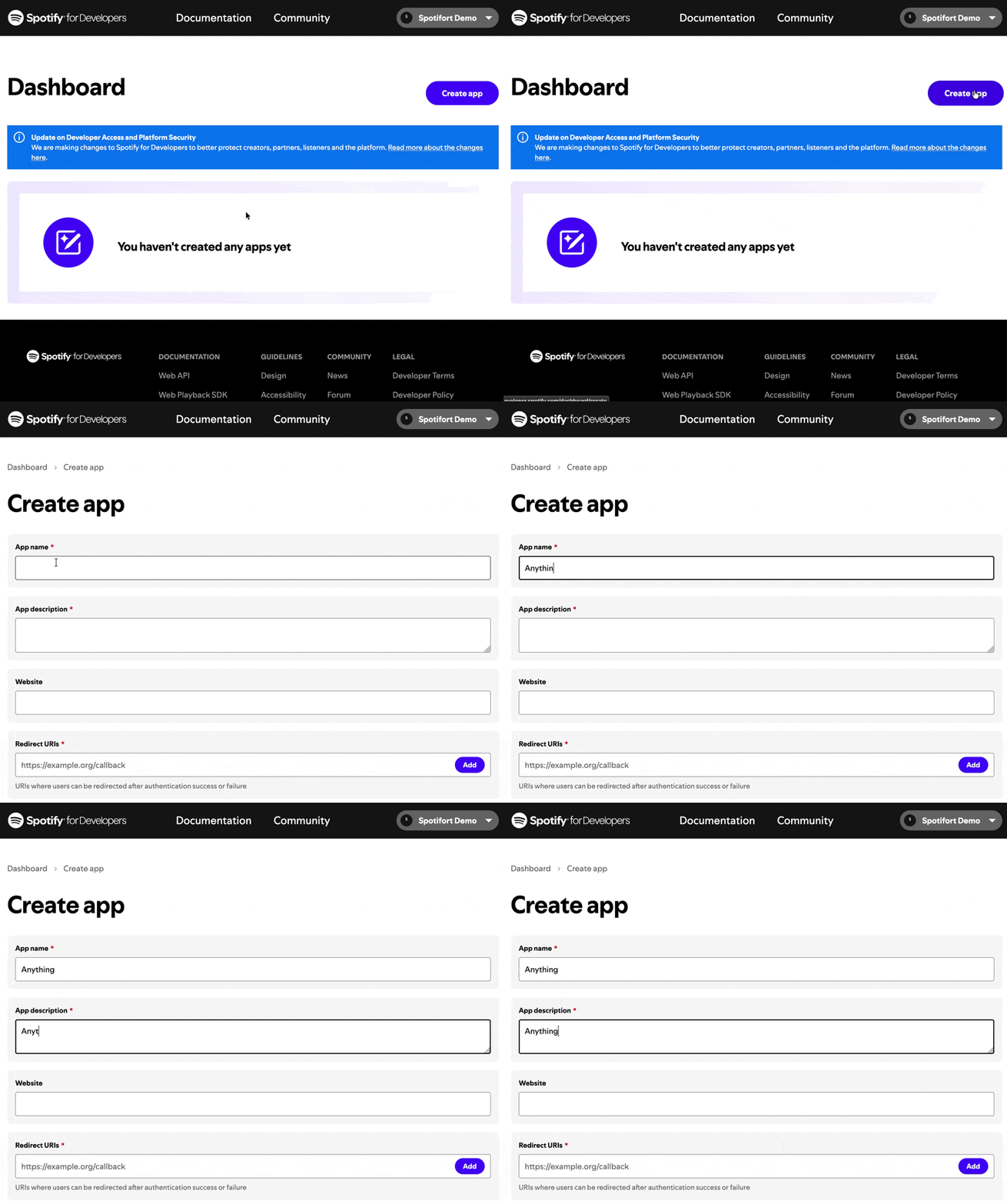
Click the "Create App" button and fill in the form. App name can be anything (e.g., "Treefort Checker"). Description can be anything (e.g., "Personal use").
Step 3: Set the Redirect URI
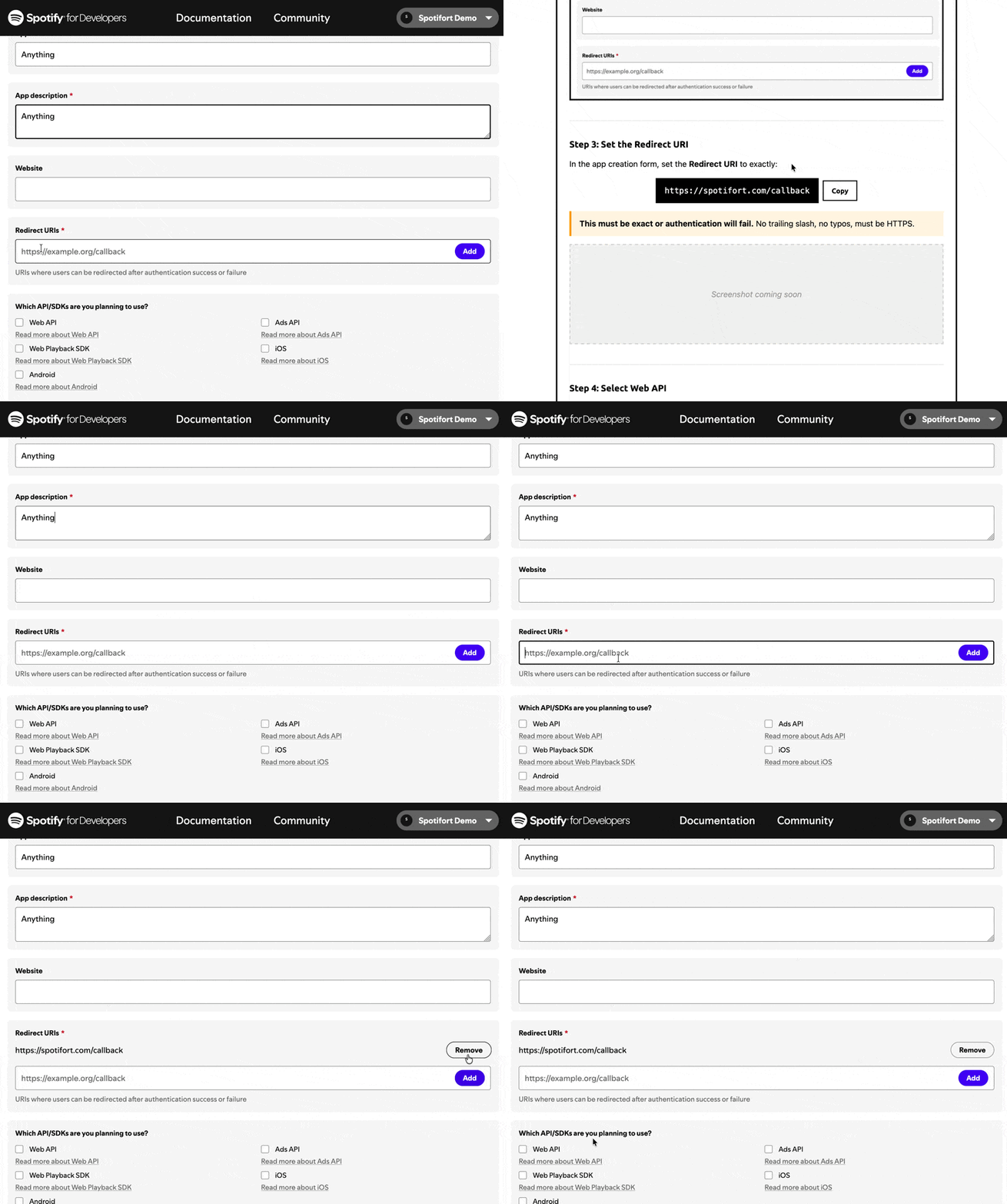
In the app creation form, set the Redirect URI to exactly:
https://spotifort.com/callback
This must be exact or authentication will fail. No trailing slash, no typos, must be HTTPS.
Step 4: Select Web API
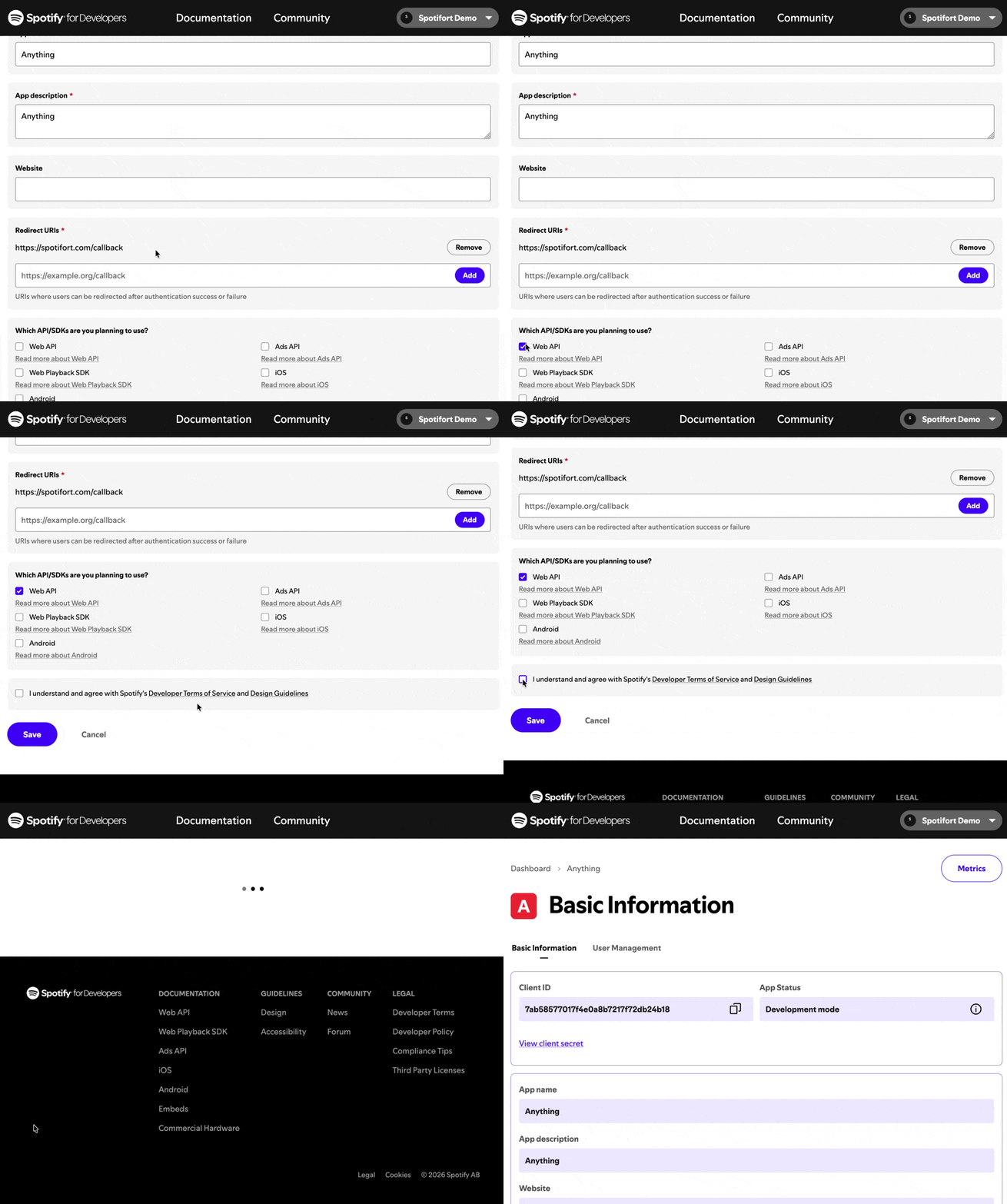
Under "Which API/SDKs are you planning to use?", check Web API. Then check the box agreeing to Spotify's Developer Terms of Service and click Save.
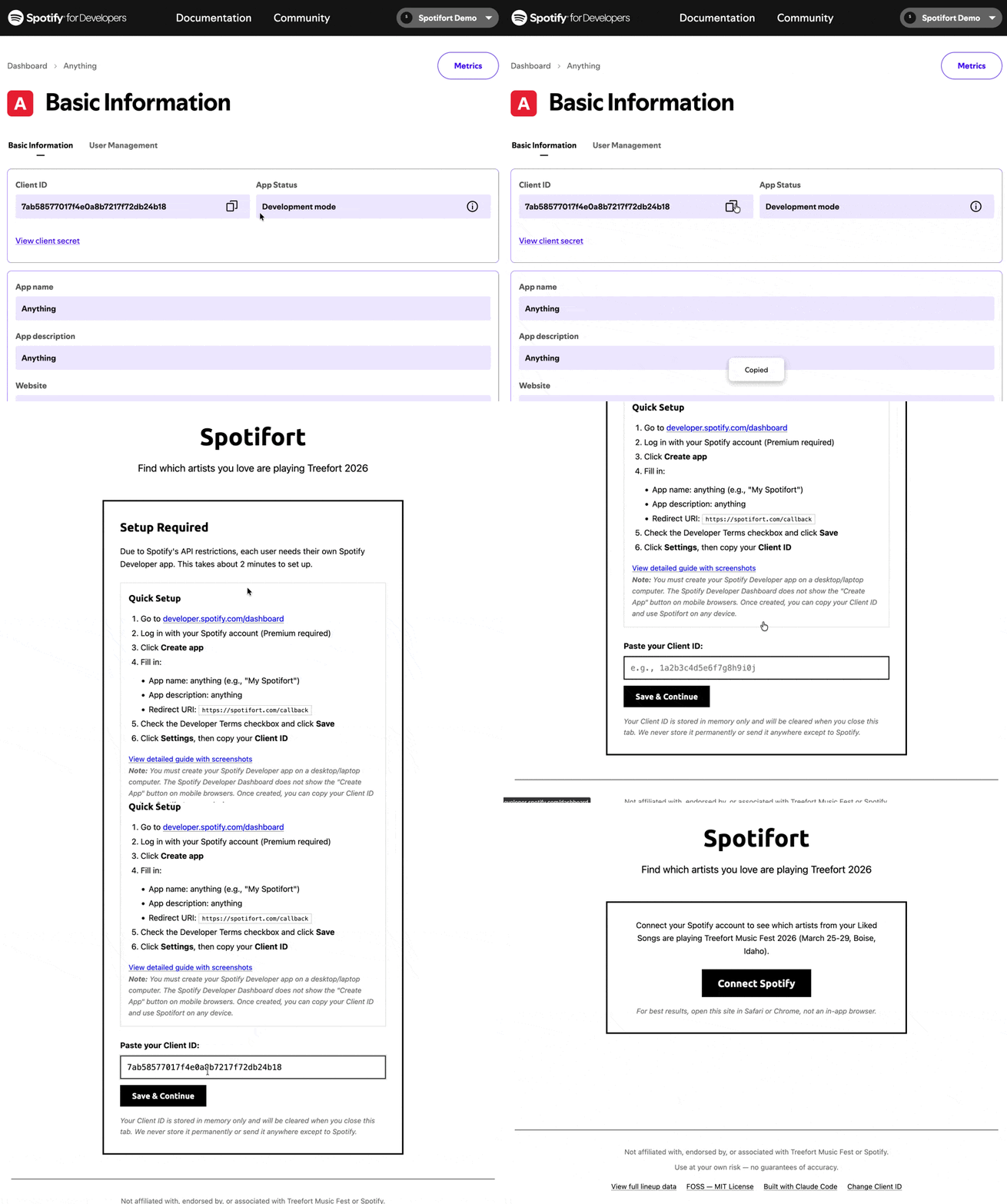
Step 5: Copy Client ID and Paste into Spotifort
After creating the app, you'll see your Client ID on the dashboard — a 32-character string of letters and numbers. Copy it (you want the Client ID, not the Client Secret).
Then go to spotifort.com, paste your Client ID into the input field, and click Save & Continue.
Step 6: Authorize with Spotify
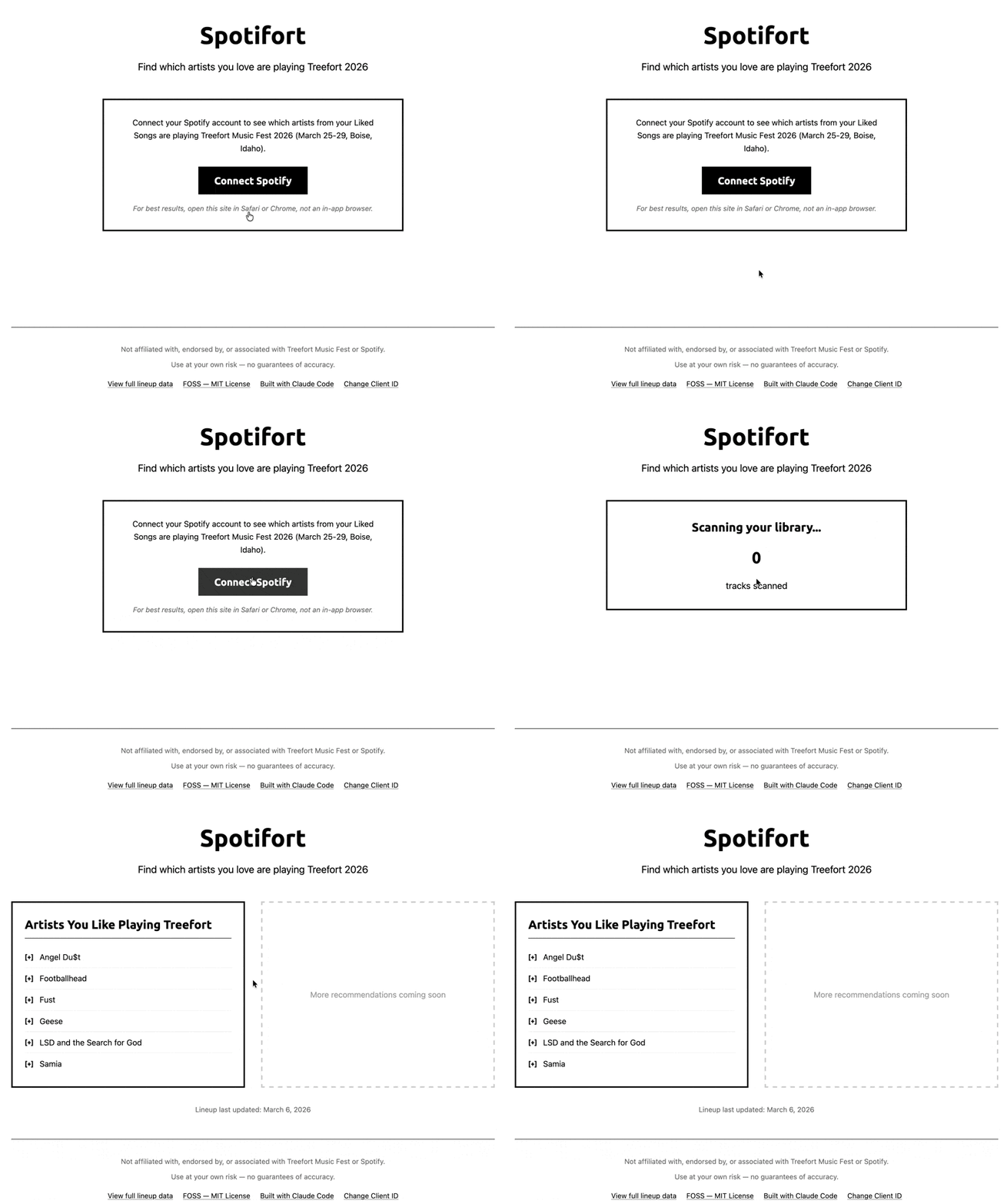
Click Connect Spotify and approve the permissions. Spotifort only requests access to read your Liked Songs — nothing else. We cannot modify your library, playlists, or account.
Troubleshooting
"Invalid redirect URI" error
Double-check that your Redirect URI is exactly
https://spotifort.com/callback. Common mistakes:
- Trailing slash:
https://spotifort.com/callback/(wrong) - HTTP instead of HTTPS:
http://spotifort.com/callback(wrong) - Typo in domain:
https://spotifot.com/callback(wrong)
"Invalid Client ID" error
Make sure you copied the Client ID, not the Client Secret. The Client ID is 32 characters and is visible without clicking "View client secret".
Need help?
Open an issue on GitHub.